If your iPad or tablet gets wet, turn it off and disconnect the charger. Remove the keyboard or the case, and bring the tablet to a repair shop on the same day. Gia Hue Mobile dries a water-damaged tablet for free at both Hanoi shops. This includes iPad models, Samsung Galaxy Tab models and other Android tablets.
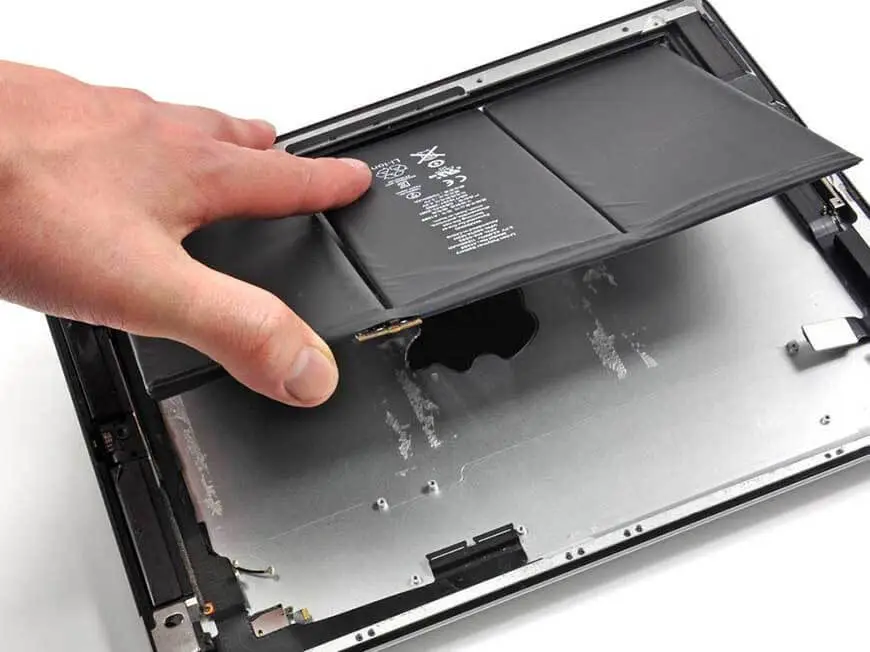
A wet tablet needs faster care than a wet phone. Below, we explain why, and we list the safe steps to follow.
Use WhatsApp to send us a picture of the wet tablet. A technician will reply with clear advice for your tablet.
💬 WhatsApp +84 962 528 528
Why do tablets have a higher risk than phones?
- No iPad is water-resistant. Apple does not give a water rating to any iPad model. For this reason, a small spill can enter an iPad.
- Most Android tablets are not water-resistant. Some Samsung Galaxy Tab S models and rugged Galaxy Tab Active models have an IP68 rating. Most Galaxy Tab A models and low-cost tablets have no water rating.
- The large screen holds liquid. Coffee or juice can spread behind the screen and stay there for several days.
- A keyboard case holds liquid against the tablet. After a spill on a Magic Keyboard or a Book Cover, the connector stays wet.
These are common causes in our shop: coffee in a café, a drink that falls over on a train or a sleeper bus, juice from children, water in a hotel bathroom, and rain that enters a backpack.
What should you do immediately?
- Turn off the tablet completely. Do not only lock the screen.
- Disconnect the charger. Do not connect the charger again.
- Remove the keyboard, the case and the Apple Pencil or the S Pen. Dry the connector on the tablet and on the keyboard.
- Remove the SIM tray if your tablet has a SIM tray.
- Wipe the outer surface with a soft, dry cloth. After a sweet drink, clean the surface with a slightly wet cloth. Then dry it.
- Stand the tablet upright with the ports facing down. Put it in a dry place with good air flow. Do not lay the tablet flat.
- Do not use rice or heat. Rice cannot dry a large tablet. A hair dryer can bend the screen and cause the battery to swell.
- Try to reach our shop with the tablet within a few hours.
Why are coffee, juice and sweet drinks worse than water?
A sweet drink causes more damage than clean water. Sugar and milk leave a sticky layer inside the tablet. This layer causes corrosion on the board. It can also make the buttons and the connectors stick. Vietnamese coffee with condensed milk is one of the most harmful drinks for a tablet.
The sticky layer stays inside the tablet until a technician cleans it. This is true even if the tablet still works. Bring the tablet for a check within one day.
How can you tell that water damaged your tablet?
- Dark areas, bright spots or lines appear on the screen.
- The touch screen moves by itself, responds slowly or stops working in one area.
- The tablet does not charge, or it charges only sometimes.
- The keyboard or the pencil does not connect.
- The speakers make a distorted sound.
- The back cover or the screen starts to lift. This can mean that the battery is swelling. Stop using the tablet and bring it to our shop.
Free tablet drying at Gia Hue Mobile
We dry iPad models, Samsung Galaxy Tab models and other tablets for free at both of our shops in Hanoi. This is our process:
- Free check: We open the tablet and check the board, the battery, the screen connectors and the charging port.
- Deep drying: The tablet goes into a drying chamber. The chamber removes the moisture behind the screen.
- Ultrasonic cleaning: We clean the contacts that touched liquid. This cleaning also removes sugar and coffee.
- Safe testing: We test the board and the battery before we turn on the tablet.
- No obligation: You do not pay if the tablet works normally after we dry it.
A tablet can need more drying time than a phone. After the free check, we tell you the drying time. If a part needs replacement, we tell you the price before we start any work. Repairs come with a warranty of 3 to 12 months. Our system keeps the warranty record under your phone number. Read our Warranty Policy.
Are you visiting Hanoi? Do you leave Hanoi soon? Give us your departure time, and we will dry the tablet first. Our staff can read your English message on WhatsApp before you arrive. Choose whichever of our two Hanoi shops is more convenient from your hotel.
Frequently asked questions
Is my iPad water-resistant?
No. No iPad model has a water resistance rating. For this reason, you should treat every spill as a serious problem.
Do you dry Samsung Galaxy Tab models and other Android tablets?
Yes. We dry iPad models, Galaxy Tab models and other tablets for free.
I spilled coffee on my Magic Keyboard. What should I do?
Remove the iPad from the keyboard immediately. Dry the connector on the iPad and on the keyboard. Bring both items to our shop. We will check the iPad first.
Can you save my files?
In many cases, yes. If we dry the tablet early, the chance of saving your files is higher. Back up your files to iCloud or Google Drive when the tablet works again.
Visit our shops
Gia Hue Mobile – Thanh Xuan
177 Vu Tong Phan Street, Khuong Trung Ward, Thanh Xuan District, Hanoi
Gia Hue Mobile – Dong Da
22 Thai Ha Street, Trung Liet Ward, Dong Da District, Hanoi
WhatsApp / Zalo: +84 962 528 528
Phone: +84 986 980 802
Email: lienhe@giahuemobile.com
⭐ 922 Google reviews
Use WhatsApp to send us a picture of the wet tablet. You will get an answer from us within a few minutes.
💬 WhatsApp +84 962 528 528
Related pages: Free Phone Drying Service · Tablet Repair